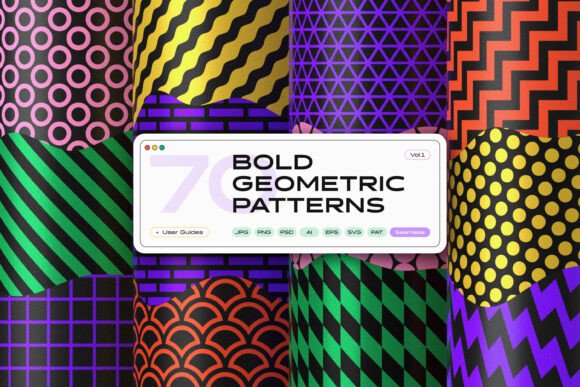
Dynamic Basics Geometric Patterns
When you work across branding, web design, product packaging, or printed materials, finding design elements that adapt well to different formats becomes essential. Dynamic Basics Geometric Patterns offer a library of 120 seamless patterns built from fundamental shapes—circles, squares, stars, hexagons, stripes, waves, and chevron—presented in a flexible, ready-to-use collection. Rather than requiring you to build each pattern from scratch, this set delivers a broad range of options that can be dropped directly into projects, edited, or layered as textures and overlays.
A library built on fundamental shapes
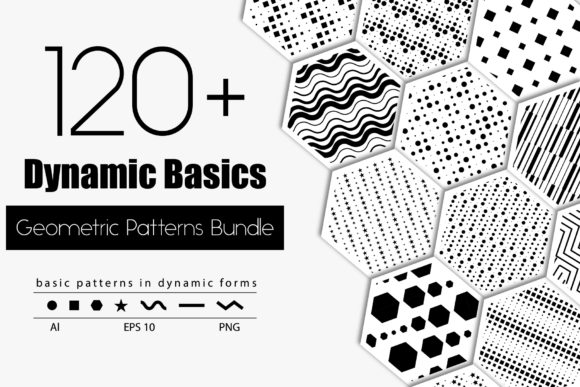
Geometric patterns have a timeless appeal because they bring structure, rhythm, and visual interest without overwhelming a composition. This set covers all the essential building blocks: 23 circle-based patterns, 25 square-based patterns, 24 hexagon patterns, 23 star patterns, and 28 patterns featuring stripes, chevron, and waves. In addition, three premade designs give you a quick starting point for projects that need a polished look immediately.
Having this range in a single collection means you can switch between organic curves, angular grids, and rhythmic linear motifs depending on the mood or function of your project. For example, circle and wave patterns often feel softer and more approachable, while squares and chevrons convey precision and movement. Having both available at hand reduces the time spent searching for complementary patterns elsewhere.
Vector and raster formats for flexible workflows
One practical limitation of many pattern sets is that they only provide one file format, forcing you to convert or rework them for different outputs. Dynamic Basics Geometric Patterns include both vector and high-resolution raster versions, which addresses this problem directly.
Vector files (AI CS5+ and EPS 10)
Vector formats allow you to scale any pattern to any size without losing quality. Whether you are designing a small business card or a large-scale fabric print, the lines remain crisp and clean. The AI files are compatible with Adobe Illustrator CS5 and newer versions, while the EPS 10 files work across many vector editing applications. Because the patterns are grouped by size, recoloring and editing individual elements becomes straightforward—you can isolate a shape, adjust a fill color, or modify stroke weight without disrupting the entire pattern.
High-resolution PNGs with transparent backgrounds
For workflows that require quick placement—such as web design mockups, social media graphics, or presentations—the included PNG files offer immediate utility. Each raster image is 2500 by 2500 pixels at 300 ppi, with black elements on a transparent background. This resolution is sufficient for both screen display and many print applications up to about 8 inches at full quality. The transparent background means you can overlay patterns onto photographs, colored backgrounds, or existing layouts without needing to mask or remove a white box first.
Practical benefits for different users
Different professionals will find value in different aspects of this collection, but several common themes emerge that make it a practical addition to a design toolkit.
Time savings for busy creatives
If you are a freelancer or small business owner juggling multiple projects, the time spent creating original patterns from scratch adds up quickly. With a library of 120 ready-made seamless patterns, you can browse, select, and apply a design in minutes. The diversity of shapes also means you can maintain visual variety across a brand identity—using a circle pattern for a website background, a hexagon motif for packaging, and a wave pattern for stationery—without having to design each one separately.
Consistent branding across media
Marketers and brand managers often struggle to maintain a cohesive look when their materials span digital and print formats. Because Dynamic Basics Geometric Patterns include both vector and high-resolution raster files, you can use the same pattern on a website, a brochure, a fabric banner, and even product labels with consistent quality. The black-on-transparent PNG files simplify layering onto branded color backgrounds, while the vector files let you recolor the pattern to match exact brand colors.
Flexibility for web and digital design
Web designers and bloggers frequently need subtle background textures or overlays that add depth without distracting from content. A hexagon or stripe pattern used at low opacity can give a page a structured, modern feel. The PNG files are ready to drop into CSS backgrounds or image layers, and the resolution is adequate for retina displays. The transparent background ensures that the pattern integrates cleanly with any color scheme.
Fabric and product design applications
For entrepreneurs and small brands producing printed goods such as apparel, home textiles, or stationery, seamless patterns are essential. A pattern that tiles correctly at any size reduces waste and produces a professional result. The vector files in Dynamic Basics Geometric Patterns can be scaled to fit fabric widths or product dimensions, and because the patterns are grouped by size, it is easier to adjust repeats or create variations. The 28 striped, chevron, and wave patterns are especially useful for directional designs that require movement or flow.
Using patterns as textures and overlays
Beyond full-surface decoration, geometric patterns work well as textures or overlays that add subtle visual complexity. A star pattern applied at low opacity over a solid background can create a starry texture effect. A square grid overlaid on a photographic image can suggest order and modernity. Because the PNG files have transparent backgrounds, they can be placed above other layers in design software or even in slide presentations. The black color is neutral and can be blended using layer modes such as Multiply, Overlay, or Soft Light to achieve different moods.
Considerations and fit
While this collection covers a wide range of shapes and styles, it is worth noting that all raster files are provided with black elements on a transparent background. If you need patterns in a specific color directly out of the box, you will need to use the vector files to apply your own colors. This is a straightforward task in any vector editing application, but users who prefer pre-colored patterns may need to invest a little time in customization.
Additionally, the patterns are geometric and abstract, which makes them well suited to modern, minimalist, or structured designs. If your project calls for organic, hand-drawn, or highly illustrative patterns, this set may not fully meet that need. However, for branding, web design, stationery, fabric, and overlay applications that benefit from clean geometry, the collection offers strong coverage.
Who benefits most from this collection
Dynamic Basics Geometric Patterns will be most valuable to professionals and creators who regularly produce materials that require repeatable, scalable decoration. Graphic designers can use the vector files to build brand systems, packaging mockups, and presentation templates. Small business owners and entrepreneurs who manage their own design work will appreciate the time savings and the ability to maintain a polished look across product lines. Educators and bloggers who create visual content for courses, posts, or printables can use the PNG files to quickly enhance their materials. Hobbyists working on personal projects such as scrapbooking, card making, or digital art will find the variety of patterns provides inspiration without requiring advanced design skills.
Recommendations for getting started
If you are new to using geometric patterns in your work, begin by exploring the three premade designs to see how patterns can be applied in a cohesive composition. Then, experiment with layering a pattern as a low-opacity overlay on a photo or solid background to understand how it changes the feel of a piece. For branding projects, try recoloring a vector pattern from the star or hexagon categories to match your palette, and test it on both screen and print mockups.
When using the PNG files, remember that the transparent background allows you to place the pattern above other elements. Use blending modes and opacity adjustments in your design software to create subtle textures rather than full-coverage decoration. This approach often yields more sophisticated results with minimal effort.
Ultimately, having a versatile library of 120 seamless geometric patterns like Dynamic Basics Geometric Patterns can simplify decisions, speed up production, and give you more creative options without requiring you to start from zero. Whether you need a precise grid for a technical document, a flowing wave for a fabric print, or a subtle texture for a website background, the combination of vector and raster formats in a single collection supports a wide range of practical outcomes.