Army Camouflage Seamless Patterns: A Practical Resource for Design Workflows
When you are working on a project that requires tactical aesthetics, military-inspired clothing mockups, or product previews that demand authenticity and precision, the quality of your underlying assets matters. Army Camouflage Seamless Patterns are not merely decorative elements; they are foundational components that can streamline your production pipeline, reduce repetitive manual work, and ensure visual consistency across deliverables. Whether you are a freelance designer preparing a lookbook for a client, a small business owner developing branded merchandise, or a marketer creating campaign visuals, having a reliable set of high-resolution camouflage patterns at hand can significantly affect both your workflow efficiency and the final output quality.
Understanding the Resource: What This Kit Brings to Your Process
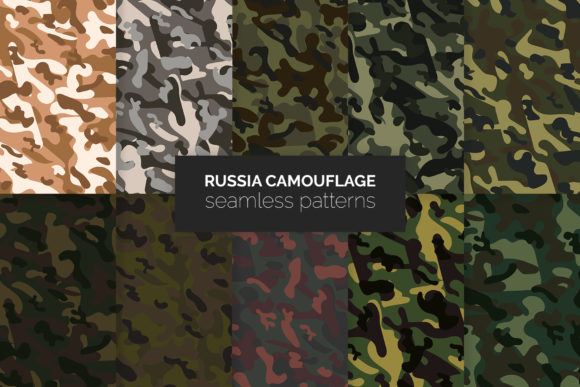
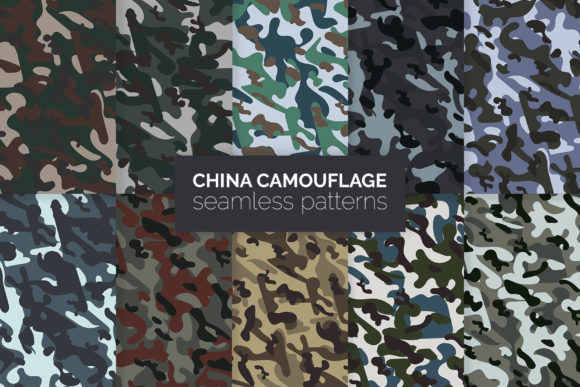
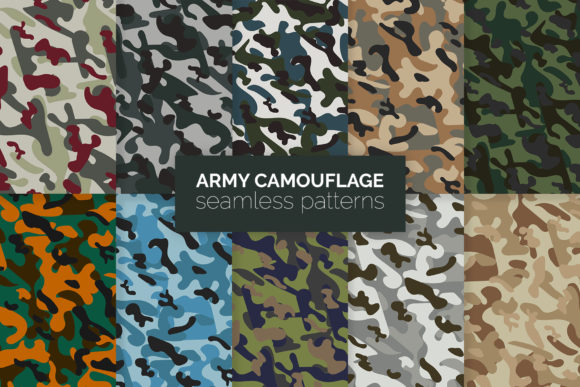
This kit provides a curated collection of ten seamless camouflage patterns, each delivered at 5000x5000 pixels in AI, EPS, and PNG formats. The files are organized into a straightforward structure so you can move directly from download to implementation without excessive folder navigation or format conversion. The inclusion of Illustrator Swatches means you can apply these patterns to shapes, text, or entire artboards in seconds, which is especially useful when you are iterating on multiple design variations or working under a tight deadline.
The patterns are completely handmade, which matters when you are aiming for a specific texture and repeat quality. Machine-generated patterns sometimes produce visible seams, unnatural color transitions, or repetitive artifacts that break immersion. Handcrafted patterns, by contrast, tend to flow more naturally, hold up better at scale, and integrate more convincingly into photorealistic mockups or detailed illustrations.
Because the kit includes both vector and raster formats, you are not locked into one ecosystem. AI and EPS files let you scale and edit the patterns without loss, which is critical for large-format printing or high-detail screen work. The PNG files at 5000x5000 pixels give you a ready-to-place raster option when working in non-vector environments like Photoshop, Canva, or video editing software. This dual-format approach reduces friction when you switch between tools during a project.
Where These Patterns Fit in a Broader Workflow
Design workflows are rarely linear. You might start with a mood board, move into sketching, then into digital rendering, and later into mockup generation and client review. Army Camouflage Seamless Patterns can be introduced at multiple points in this cycle, depending on your role and the nature of the project.
During the Conceptual Phase
Early in a project, you need to establish a visual direction. If you are designing a clothing line, a line of outdoor gear, or packaging for a tactical brand, testing different camouflage variations on product silhouettes helps you narrow down color palettes and scale preferences before committing to production. The ten patterns in this kit give you a range of options without requiring you to build each one from scratch. You can overlay them onto garment sketches, accessory renders, or product wireframes to see how the print behaves on curved surfaces and folded edges. This saves you hours of manual pattern creation during a phase when speed and flexibility are most valuable.
During Mockup and Preview Production
Mockups are where these patterns truly shine. Whether you are preparing client presentations, e-commerce product shots, or social media previews, applying a seamless pattern to a shirt, backpack, or phone case mockup immediately elevates the realism of the image. The high resolution of 5000x5000 pixels ensures that even when you zoom in on a detail shot, the pattern remains crisp. If you are using smart object layers in Photoshop, you can drag a PNG pattern into your template, scale it, and see the result in real time. If you prefer vector workflows, you can expand the AI swatch over your product shape and retain full editability. This level of flexibility means you can produce multiple variations of the same mockup in minutes, which is extremely useful when testing different camouflage options with a client or audience.
During Final Asset Preparation and Delivery
Once the design direction is approved, you may need to deliver production-ready files. The AI and EPS formats are industry standards for print production, so your pattern files can be sent directly to manufacturers or printing partners without additional conversion steps. The fact that the patterns are seamless means that when you tile them across a large surface, there are no visible seams, color shifts, or alignment issues. This reliability matters when your reputation depends on the final product matching the preview exactly.
Practical Implementation Tips for Different Roles
How you integrate these patterns will depend on your specific workflow and tools. Below are role-specific observations that may help you get the most out of the kit.
For Graphic Designers and Illustrators
- Use Illustrator Swatches for rapid application. Open the AI file, select the pattern from the Swatches panel, and apply it as a fill. You can then scale, rotate, or recolor the pattern to match your composition. This is far faster than importing a raster image and manually tiling it.
- Layer patterns for depth. Combine two camouflage patterns at different scales and opacities to create a custom texture that feels unique. Because the patterns are seamless and high resolution, layering them does not introduce artifacts or visible boundaries.
- Save your own swatch library. After customizing colors or scales, save your modified patterns as a custom swatch library. Over time, you can build a personal archive of camouflage variations that you can reuse across projects.
For Product Designers and Merchandise Developers
- Test scaling before production. The same camouflage pattern may look completely different when printed on a small accessory versus a large garment. Use the vector files to test multiple scale variations on your product templates. A pattern that feels balanced on a phone case might feel overwhelming on a duffel bag, and vice versa.
- Prepare color variants for client review. Because the patterns are delivered as vector swatches, you can globally adjust colors using Illustrator's Recolor Artwork feature. This lets you present a unified camouflage design in multiple colorways without rebuilding the pattern each time.
- Export consistent assets for different platforms. Use the PNG versions for quick digital mockups and the AI/EPS versions for final print files. Keeping both formats organized in your project folders prevents confusion when you switch between digital and physical production.
For Marketers and Content Creators
- Ensure brand consistency across visuals. If you are running a campaign around a product that uses camouflage, having a single source of truth for the pattern ensures that your website images, social media posts, email headers, and print collaterals all use the same texture. This builds visual coherence and strengthens brand recognition.
- Save time on repetitive tasks. Instead of recreating a pattern each time you need a new banner or ad variant, keep the PNG files in a shared folder that your team can access. When you need a quick asset, simply place the pattern into a template and adjust the composition around it.
- Use patterns as background textures. Beyond product mockups, camouflage patterns can serve as interesting backgrounds for quote cards, event announcements, or promotional content. The high resolution means you can crop a section of the pattern and still maintain print-quality clarity.
Working with the Kit: Organization and Efficiency
One aspect that is often overlooked when purchasing design assets is how easily they fit into an existing organizational system. This kit includes ten template files, each corresponding to a distinct pattern. The naming convention is straightforward, but you can take it a step further by renaming the files based on the specific colorway or scale characteristics you need for your projects. If you manage multiple client accounts, consider creating subfolders for each client and placing the relevant pattern files there so you never have to search through a master folder when time is tight.
Because the patterns are provided at 5000x5000 pixels, they are large enough to be used as standalone backgrounds or as repeating tiles on large surfaces. If you find that a pattern needs to be larger or smaller for a specific use case, the vector formats let you scale without quality loss. For example, if you want a fine texture for a small label and a bold pattern for a backdrop, you can use the same AI file and adjust the tile size in the pattern options panel.
The inclusion of 100 seamless patterns within the kit means you have a substantial library to pull from, reducing the likelihood that you will need to source additional assets mid-project. This is particularly useful when you are working on long-term projects where consistency across multiple product lines or seasonal releases is important.
Quality Control and Long-Term Use
When you integrate a resource like Army Camouflage Seamless Patterns into your regular workflow, it is worth spending a few minutes verifying that the files work as expected in your environment. Open each AI and EPS file in your version of Illustrator to confirm that the swatches load properly and that the pattern geometry displays correctly. Test the PNG files in Photoshop or your preferred raster editor to ensure transparency and resolution meet your standards. Doing this once at the beginning of your usage saves you from discovering compatibility issues when you are in the middle of a time-sensitive project.
For long-term use, keep the original ZIP archive intact as a backup. If you modify a pattern file for a specific project, save the modified version separately rather than overwriting the original. This ensures you always have a clean copy to return to for future projects. Over time, you will likely develop a set of go-to patterns from the collection that you use most frequently. Bookmarking or tagging those files can accelerate your workflow considerably.
Final Observations on Integrating This Kit
The value of a resource like this lies not in its novelty but in how seamlessly it fits into the processes you already use. When you have to produce multiple mockups, iterate on designs under client feedback, or maintain consistent branding across diverse media, the time you save by using pre-made, high-quality patterns goes straight into improving the overall quality of your work. You focus on composition, color, and messaging, rather than on building textures from the ground up.
The handmade nature of these patterns means they carry a certain visual richness that stock vector generators can replicate only with additional effort. And because the kit provides both vector and raster formats, you are not forced to choose between scalability and convenience. You can move between tools, resize without degradation, and deliver files that meet professional print standards.
If you regularly work with clothing mockups, product previews, or any visual content that calls for military or tactical aesthetics, having a structured library of seamless camouflage patterns will simplify your process from concept to final delivery. This kit gives you that foundation, letting you build consistent, high-quality results project after project.